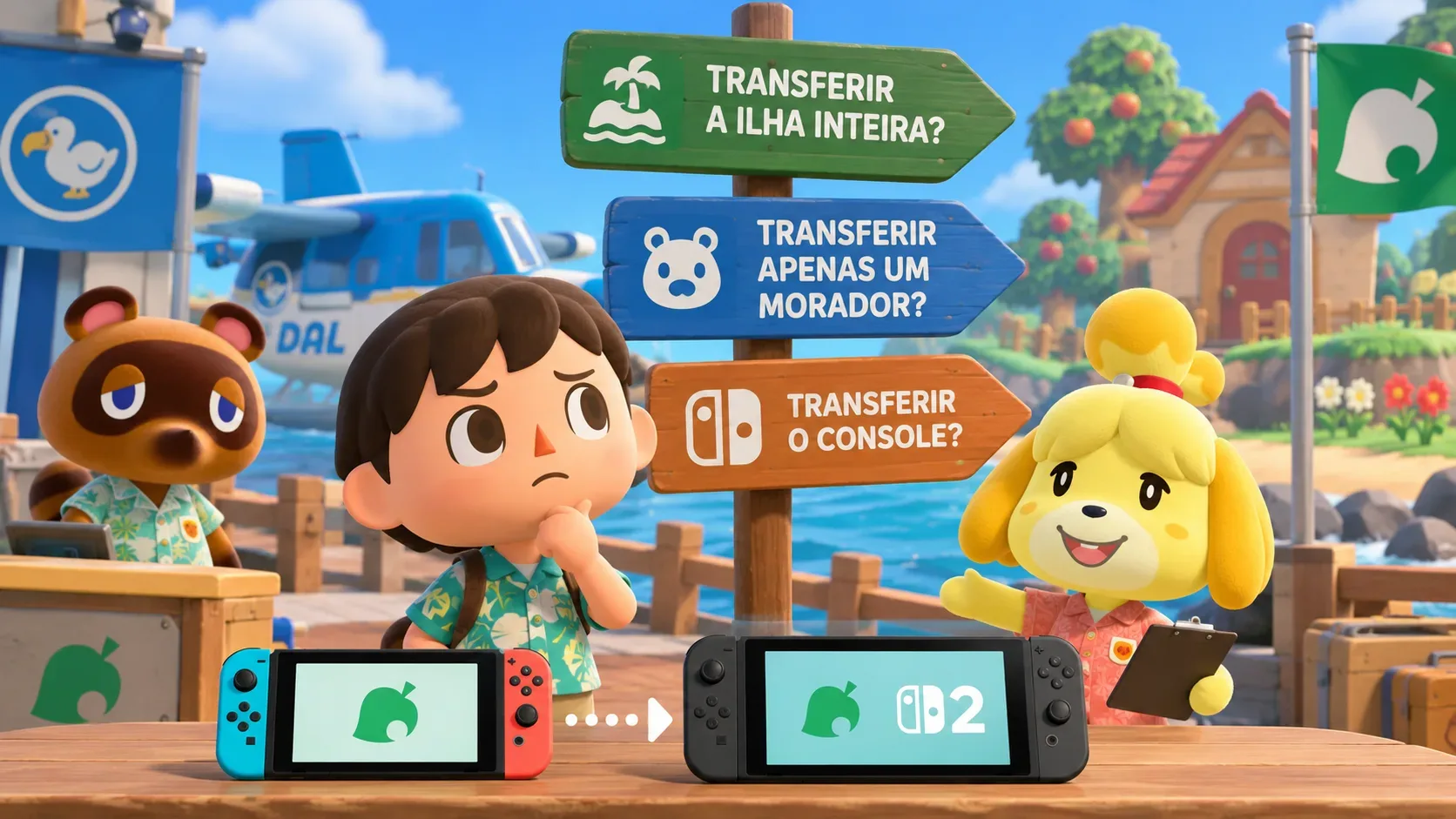
In Animal Crossing: New Horizons, the right method depends on what should leave the old console: the entire island, one player character, or the whole system’s data. Use a full island transfer to move the island and its resident representative; use an individual resident move to separate one player while leaving the shared island behind. When transferring a Nintendo Switch to a Switch 2 through system transfer, the island moves automatically with the other data, so the separate island tool is not needed.
The distinction matters because the main island is one shared save file for the console’s players. A full island transfer does not make a duplicate: that save is removed from the source system. Island backup, meanwhile, is a recovery feature for specific situations, not a general-purpose way to clone an island or switch consoles.
Which transfer should you choose? Three scenarios
| Your situation | Recommended method | What happens to the original island |
|---|---|---|
| Everyone wants to keep playing on the same island on another system | Entire island transfer; for an initial Switch-to-Switch 2 migration, system transfer | The island and progress move to the target; the New Horizons save is removed from the source |
| Only one player is leaving the shared island | Individual resident move, provided that player is not the representative | The island, animal neighbors, and shared progress remain on the source |
| You are replacing a Switch with a Switch 2 and moving users and games | System transfer during Switch 2 setup | The island is included automatically; deletion rules for other data depend on the transfer method |
Before confirming anything, ask whether other players still need the island on the old system. If they do, a full island transfer is the wrong choice. If just one person is moving out, first find out whether that person is the island representative.
When to transfer the entire island
Choose this option when all player residents will use the island on the other system, or when the resident representative needs to move. Nintendo says the transfer includes the island layout and progress, customizations, animal villagers, player residents, their homes and inventories, and Happy Home Paradise DLC save data. The DLC must also be downloaded on the destination to access its content.
For systems that are already set up, Nintendo instructs players to install the Island Transfer Tool on both consoles, update the game, enable local wireless communication, and designate a source and a target. Begin only after checking the island and console names on screen. If the destination already contains New Horizons save data, Nintendo requires that save to be deleted before the full island transfer can finish. Do not proceed until you have decided what should happen to that other island.
When the transfer is complete, the New Horizons save is removed from the old system. If player accounts need to be linked to residents on the new console, select existing resident data and the correct resident. Nintendo warns that the account-to-resident association cannot be changed afterward.
When to move just one resident
This option is for someone who used to share an island and now wants to play on a separate console without taking away everyone else’s world. The moving character keeps their name, appearance, house, remaining home loan, items in pockets and storage, DIY recipes, catalog, and other personal data described by Nintendo. Shared island facilities, museum contributions, and furniture placed outdoors do not come along.
An individual move requires both consoles, local wireless communication, an updated copy of the game on each, and a character already living in a house. The destination must have fewer than eight player residents, and the receiving user profile must not already have played New Horizons on that console. From the game’s title-screen settings, opened with the minus button, the player starts a resident move and confirms it on both systems. Nintendo specifies a final confirmation point after which the operation cannot be canceled.
There is one crucial restriction: the island’s first player, called the Resident Representative, cannot move individually, and the role cannot be reassigned to someone else. Moving that character requires moving the entire island. An ordinary player arriving on a system with no island can become the representative of the new island; if an island already exists there, they join it. The source island keeps its other residents and progress.
What if you are upgrading from Switch to Switch 2?
If you are moving all users and system data from a Nintendo Switch to a new Switch 2, Nintendo’s system transfer already includes Animal Crossing: New Horizons. The company directs users to that process during Switch 2 setup, with no additional Island Transfer Tool step. This is not equivalent to moving one player character: it covers the original system’s user accounts and other data.
What remains on the old system depends on the method. A server-based system transfer resets the source Switch after the data is uploaded. With local transfer, certain cloud-supported saves may remain on the source, but New Horizons does not support the standard cloud-save service and its save is removed once transferred. Everyone who shares the old console should agree before a system-wide move begins.
If the Switch 2 has already been configured and used, Nintendo provides the Island Transfer Tool route for moving the island separately. After a local system transfer, when opening the game on Switch 2, look for the option to link the user to existing resident data instead of creating a new resident. The game’s Switch 2 Edition and its enhancement upgrade are separate products from the save-data transfer process.
Island backup is protection, not an alternative transfer
New Horizons does not use Nintendo Switch Online’s standard Save Data Cloud service. Instead, it has its own island backup feature, which must be enabled in the game’s settings by a Nintendo Account with an active subscription and a resident on that island. Once enabled, backups are made periodically while the system is online and the game is not being played. The title screen displays the time and date of the latest backup.
Restoration is intended for cases such as a lost, stolen, damaged, or repaired console and requires a previously enabled backup. Do not rely on it to deliberately copy one island onto two systems. Nintendo also states that backup settings do not transfer with the island: re-enable the feature on the destination after confirming that the correct island has arrived.
What to verify before confirming
- Identify the resident representative and check whether other players still need the source island.
- Check whether the destination already has an island: a full transfer requires deleting that game’s existing save there.
- Update the game, keep both systems available when the method requires them, and verify console and resident names.
- Do not treat system transfer, individual resident moves, and backup restoration as interchangeable.
- Afterward, verify the correct account-to-resident link and re-enable island backup on the new system.
The practical rule is to protect whatever must stay on the old console. If the shared island must remain and only one player is leaving, move that resident alone. If the island itself or its representative must relocate, the island is moved rather than copied. For a full Switch-to-Switch 2 migration, avoid running a second, unnecessary island transfer.