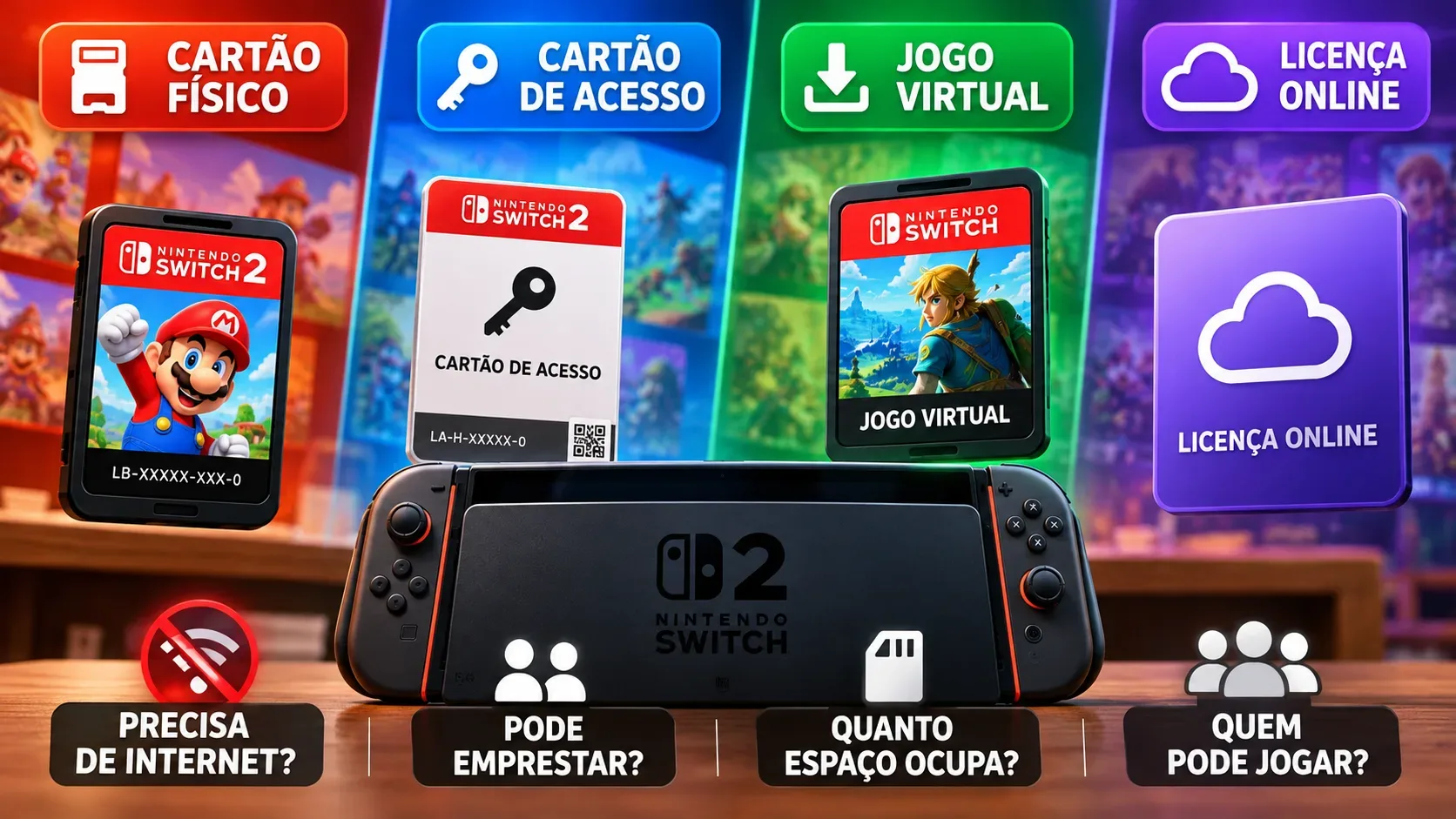
On Nintendo Switch 2, a regular physical game card contains the game data, while a game-key card requires a full download before the first play session on each system. Virtual game cards and online licenses are different ways to access a digital purchase: the former supports offline play and sharing with other users of a system, while the latter offers access on more systems but requires internet checks and limits play to the purchasing account.
There is an important distinction: an online license is not a fourth separately sold game format. It is an authorization setting for digital purchases. Game-specific online features, additional content and update requirements still apply regardless of the distribution method.
Four-way comparison
Here, “offline” means starting or continuing a title that does not independently require game servers. No purchase format turns an online-only game into an offline one.
| Method | Internet for initial use | Internet afterwards | Card inserted | Free storage | Lending or changing systems | Who can play |
|---|---|---|---|---|---|---|
| Regular physical game card | Generally no for a complete base game on the card; updates may require it | Not for the physical license itself; game services may require it | Yes, while playing | Base game on card; patches and DLC may use storage | Hand over the card and insert it into another compatible Switch 2 | Users on the system with the card inserted |
| Game-key card | Yes; download game data on each new system before playing | After the first launch and download, offline play is possible if the game allows it | Yes, even after downloading | Full-game download to system memory or microSD Express | Lend the card itself; another system must download the data | Users on the system with the card inserted |
| Virtual game card | Yes, for download, loading and first-launch verification; connection also needed to eject | No while loaded and cleared for offline use | No, it is a loaded digital entitlement | Storage for the game download and add-ons | Move between two paired systems; lend to family members for up to 14 days | All users on the system on which it is loaded |
| Online license | Yes, for download and an entitlement check at launch | Yes; the game is suspended after being disconnected for a while | No; downloaded software and linked purchasing account | Storage for the game download and add-ons | Purchasing-account access on three or more systems; not a license-lending method | Only the user linked to the Nintendo Account that purchased the game or DLC |
Is a regular physical game card the simplest offline choice?
For a release whose complete base game is on the card, this is the most straightforward choice: insert the card into a compatible system and play without downloading the entire game merely to unlock access. The card must remain inserted during play and can physically be lent to another person.
That does not mean every boxed release remains self-contained forever. Patches, DLC, online features and game-specific requirements may involve downloads or internet access. Check the exact edition and its packaging. Nintendo explicitly distinguishes standard game cards from game-key cards, which do not contain the complete game.
Game-key cards: lendable physical media, mandatory first download
A game-key card holds a launch key rather than the full game data. The first time it is used on each system, it needs an internet connection and enough space in the Switch 2 internal memory or a microSD Express card. The required capacity is shown on the packaging. Nintendo says a Nintendo Account is not needed to download the game data.
After the download and first launch, the key card itself does not impose an ongoing internet requirement. But it must be in the system every time the game is played. A person borrowing it must download the game on their own console. Nintendo’s support guide also specifies system software version 20.1.1 or later for game-key cards.
Virtual game cards: offline access and household profiles
A digital purchase can be loaded as a virtual game card onto one of the two systems paired with a Nintendo Account. Once downloaded, loaded and initially verified, it works offline, and all user profiles on that system may launch it. Pairing two systems for the first time requires local wireless proximity and an internet connection; loading and ejecting cards also involves connectivity.
The entitlement can move between those paired systems, but the same virtual game card cannot be used on both at the same time. Lending it to a Nintendo Account family-group member temporarily removes the lender’s access. Loans last up to 14 days and can end early. Nintendo allows lending up to three virtual game cards at once, while the recipient may borrow only one at a time, with additional system and game restrictions.
Online licenses: more systems, but only the purchasing account
Enabling “Use Online License” under user settings lets you launch downloaded digital software without loading its virtual game card. This also supports access on three or more systems linked to the purchasing account, whereas the virtual-card arrangement pairs only two systems.
The trade-off is less independence: Nintendo requires an online entitlement check when launching the software and says it will suspend after being offline for a while. Only the user linked to the Nintendo Account that purchased the game or DLC can launch it through this option. It does not lend the game to another account or enable simultaneous play of the same title on different systems.
What should you choose for travel, lending or multiple profiles?
If your priority is travel without an internet connection, a complete standard physical card is usually the easiest option. Game-key cards can also work offline after setup, but are inconvenient if you cannot download the game onto a new system or have insufficient storage.
For lending to anyone with a compatible system, handing over a regular game card or a game-key card is straightforward. Digital lending via virtual game cards is restricted to Nintendo Account family-group members and its lending rules. For multiple profiles in one household, a loaded virtual game card supports all users on that console; an online license on its own does not.
Owners of three or more systems may favor the online-license option if they accept an internet connection and using the purchasing account. Anyone swapping between two systems and wanting offline access should pair them and load the virtual card onto the intended system before leaving home.
Three checks before you buy or lend a game
First, check the packaging to see whether it contains a standard physical game card or a game-key card. Both are physical objects, but the latter requires the entire game to be downloaded. A download code inside a box is a separate retail arrangement, not automatically either kind of card.
Second, save files do not travel on physical game cards or automatically follow a lent virtual game card. They remain associated with the system and user. To use the same saves elsewhere, check supported transfer or cloud-save options.
Third, compatibility matters: Switch 2-exclusive games cannot run on the original Nintendo Switch. Cross-generation digital lending only applies to compatible titles. Keep base-game entitlements, DLC requirements and game-specific online services separate when comparing purchase options.